Building a website and getting started online isn’t as hard as it used to be. You don’t need a degree, special training, or to be “technical.” Most of what you need is already available for free if you’re willing to search, read, and try things.
It’s honestly wild how much you can learn now by simply asking, “How do I…?”
This is a straightforward, no-nonsense guide to getting Google Analytics set up on your site. I’m keeping it practical, because that’s what I needed when I started.
Before analytics, here’s the basic setup I’m assuming you already have:
- A domain name
Try to keep it short, memorable, and easy to spell. GoDaddy is the most well-known option, but there are plenty of reputable registrars. - Hosting
I personally chose managed WordPress hosting through Namecheap. It’s simple, affordable, and I don’t have to think about it much. - SSL + DNS set up
Your site should load with https, not throw security warnings, and actually point to your hosting.
Once those pieces are in place, the next thing you need is Google Analytics.
Why? Because you can’t improve or adjust anything if you can’t see what’s happening.
To me, a blog without analytics is like writing a book but refusing to see whether anyone reads it. Analytics tells you:
- if anyone is visiting
- where they’re coming from
- what they’re reading
- and whether your work is finding its people yet
It also helps answer the very real question of “Am I writing into the void, or is this starting to go somewhere?”
When you search for Google Analytics, you’ll probably see a lot of paid courses right away. You don’t need them yet.
I’ve been Google Analytics certified in the past, and if anything, the tool has become simpler, not harder. My advice: don’t pay for courses until you understand the basics well enough to know what questions you actually need answered. There’s so much information out there that it’s easy to overwhelm yourself before you’ve even started.
Right now, this is about sweat equity—time, attention, and a little mental effort. Spend money later, when it actually makes sense.
In the next section, I’ll walk through exactly how to add Google Analytics step by step, with screenshots, so you can follow along without guessing.
Before we start, just make sure:
- your domain is live
- SSL is active
- DNS is pointed correctly
- You can log in to WordPress
If that’s done, you’re ready to set up Google Analytics.
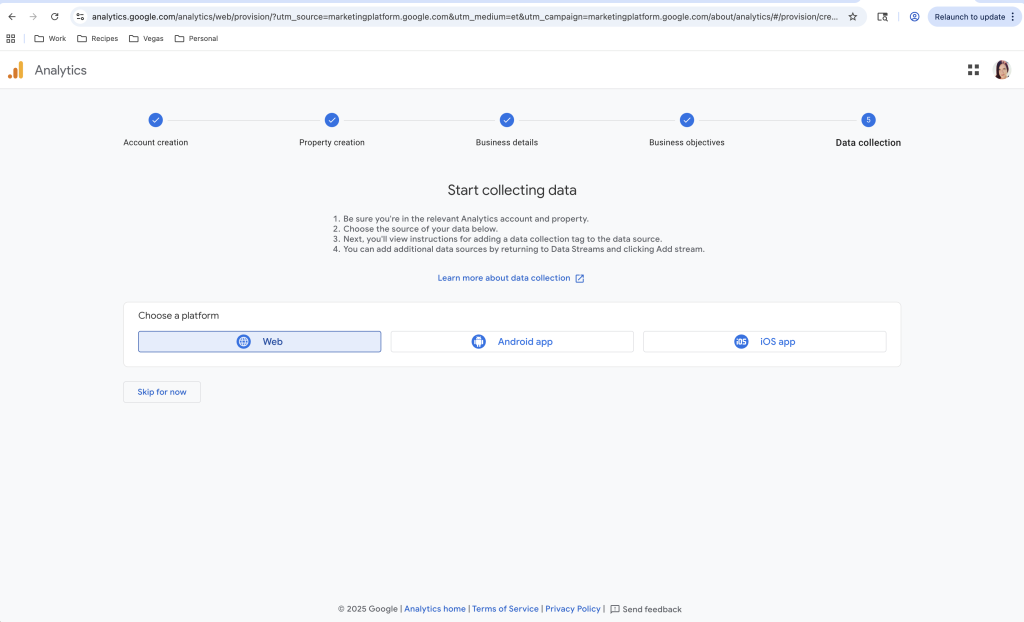
- Start Collecting Data. All we have to do is click Web.
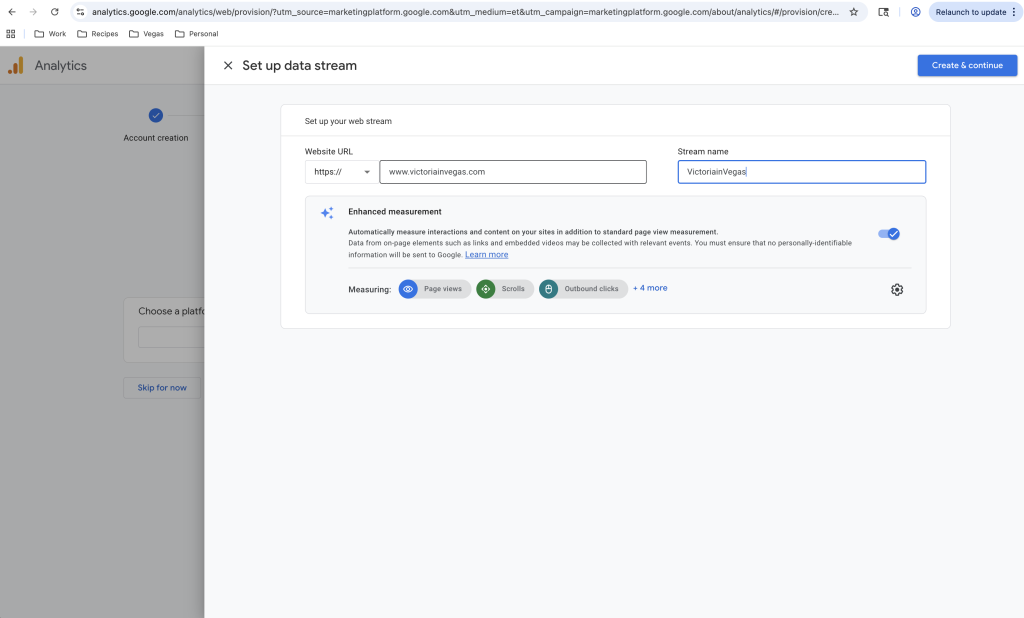
3. Set up a Data Stream – This is just your Website Name
3. Set up a Google Tag – This is how the Analytics Code Links to Your Site Easily to Track and Test.
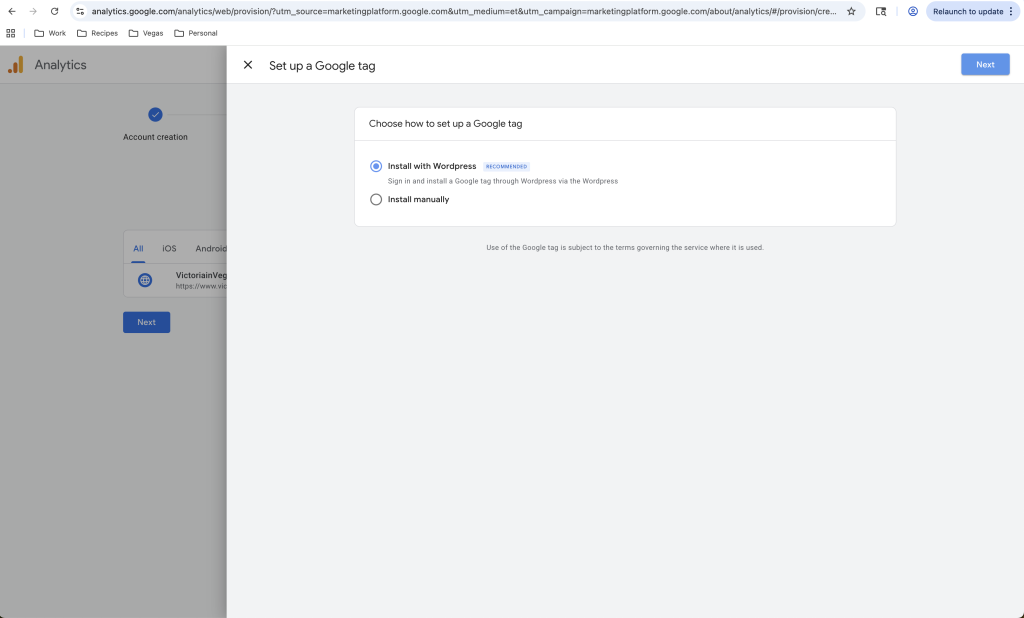
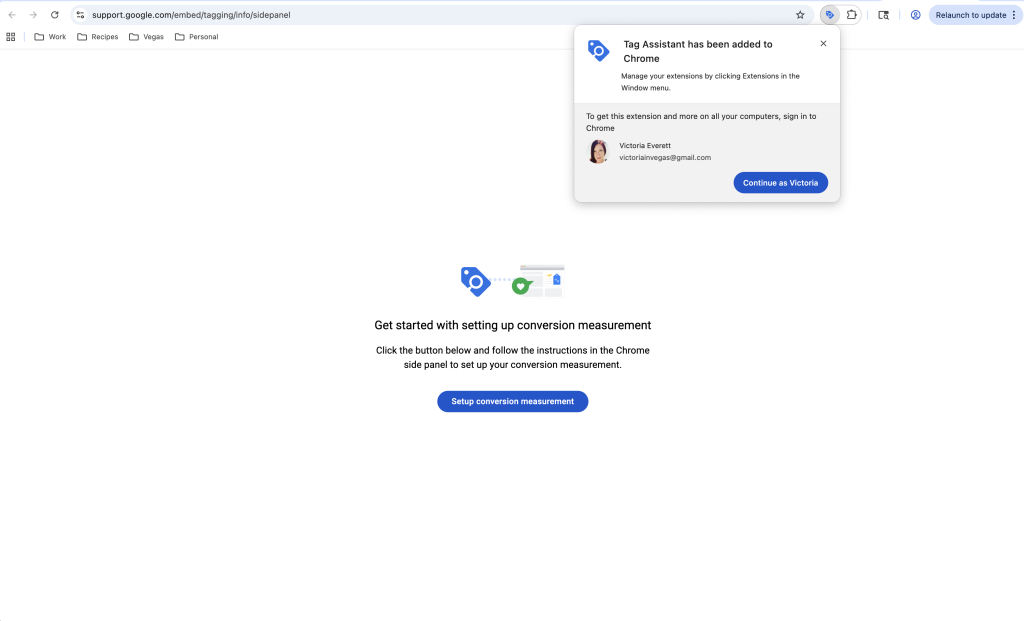
4. Once you hit install with WordPress it’ll redirect you to get an Extension. Continue as your user and it should install in a few seconds.
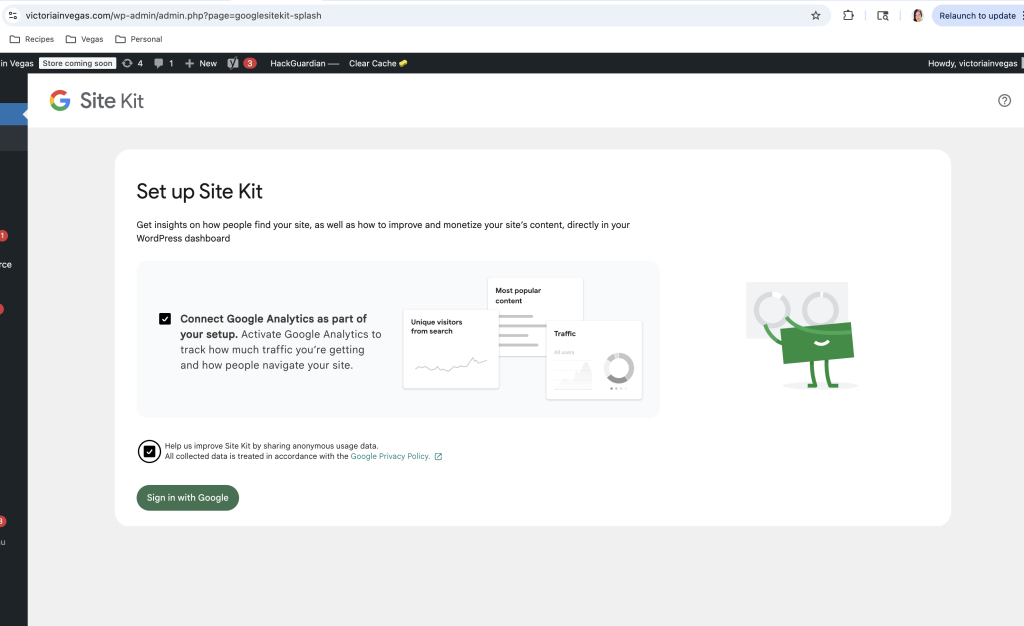
5. Go to WordPress Plugins, Google has it’s own Plugin for Site Kit – You can again Sign in with Google. Anytime you are making a new website I suggest creating a new gmail account for connected services and branding. In this case I’m victoriainvegas@gmail.com.
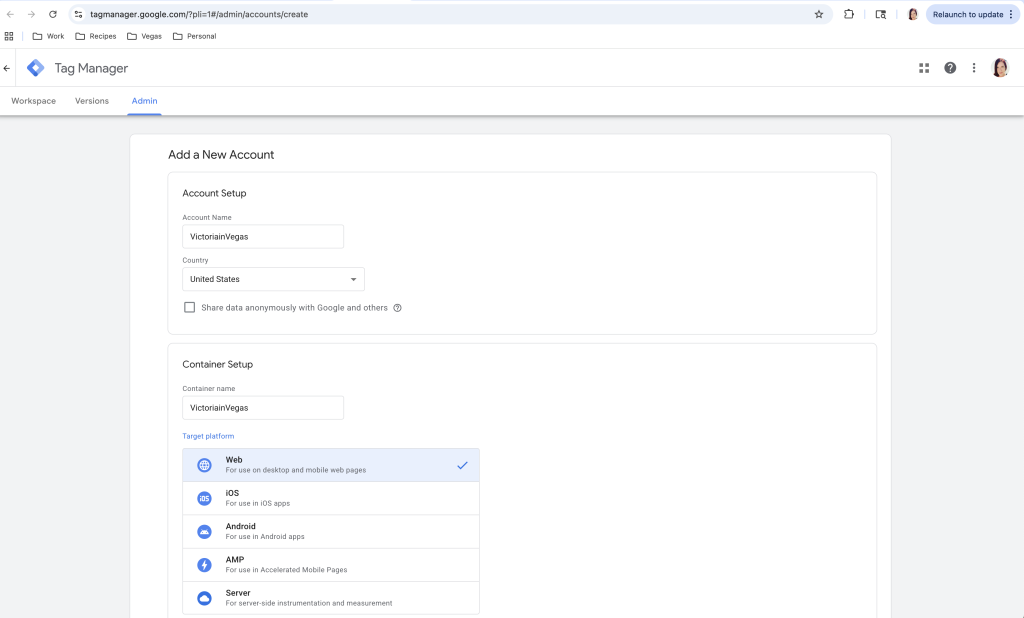
6. If you did a manual install or while going through Set up you will access Account Setup and this is again simple just the name of your Site and Domain as a “Container” so consider the code in container around the site you’ve applied the code to.
7. Go to Connect Services and Select the Container you made in Google Tag Manager.
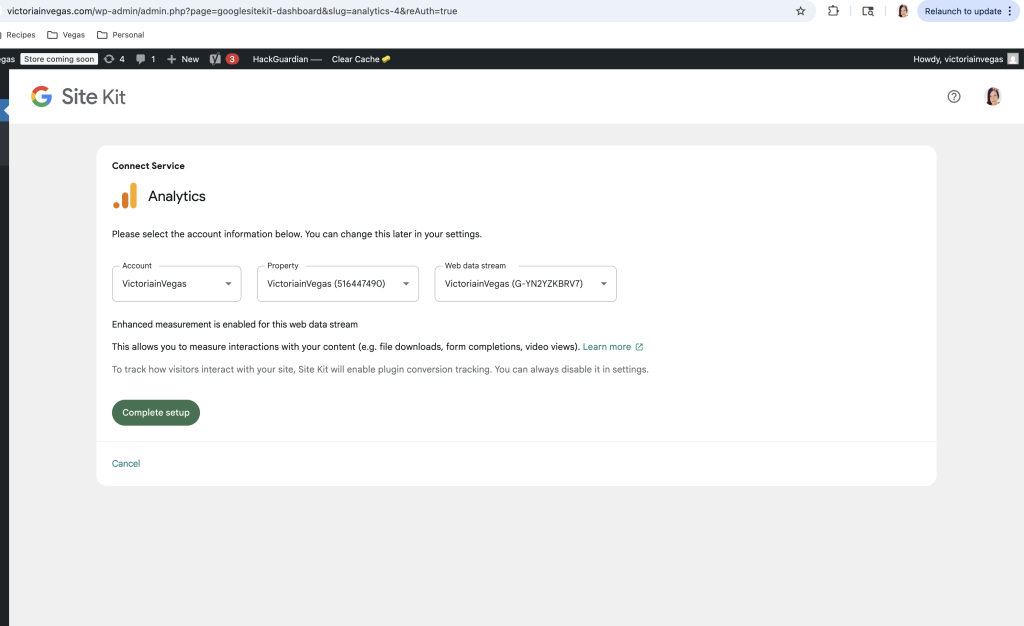
8. Congrats you have Google Analytics set up on your account!
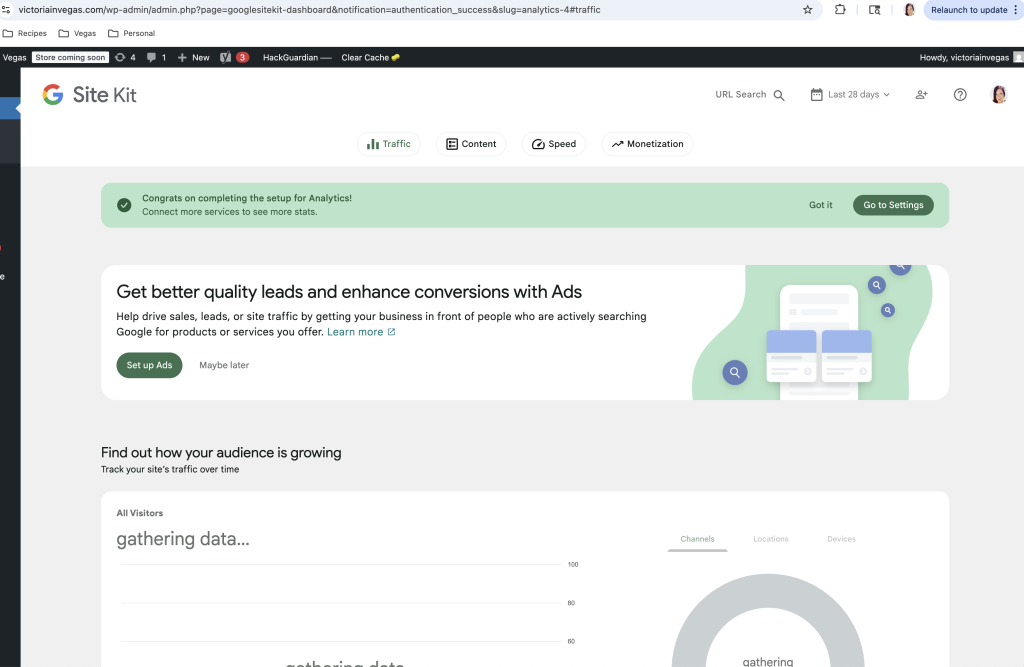
9. Google Site Kit allows you to connect other Services as well through Google. Set up as needed or desired. I do not need ads yet, and reader revenue management I will be looking more into, as it wasn’t a path prior but looks interesting.
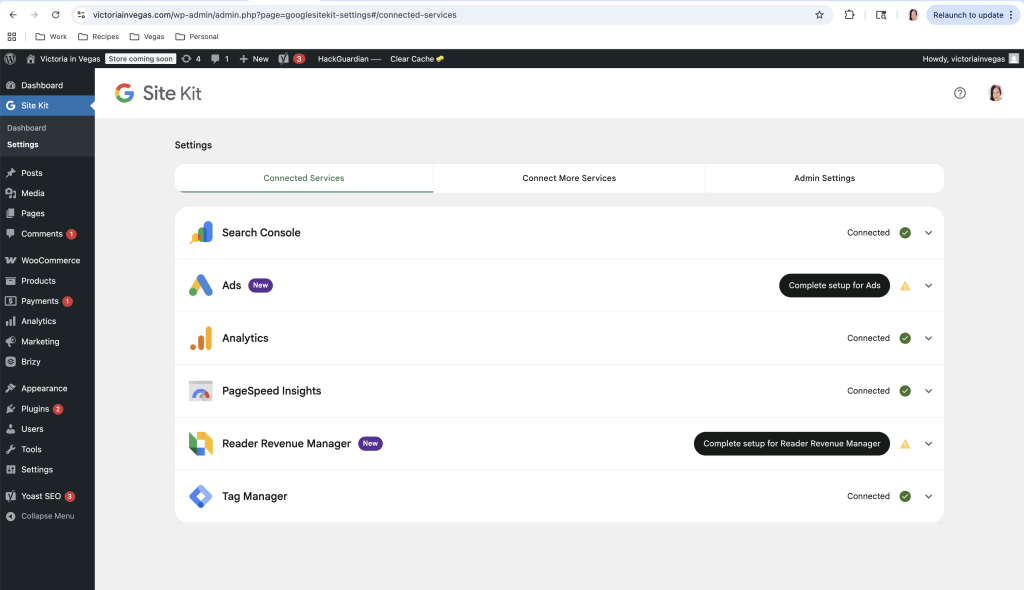
Now you have Google Analytics.
The setup only takes a few minutes, but it becomes valuable over time—even if all you’re doing at first is collecting historical data. I always recommend setting up the basics early and adding more tracking or refinement later, once you actually know what you need.
The entire process realistically takes about 10 minutes. And yet, there’s an entire industry of “consultants” and paid courses yelling about it before most people realize how simple it actually is.
Step one is just getting started. You can refine as you go.
Most people don’t stop because it’s hard—they stop because they’re intimidated before they even begin. It’s funny how easily I’ll help someone else do this, but hesitate when it comes to doing it for myself.
If this helped, what’s something online you’ve been putting off because it seems complicated—but probably just needs a quick, no-nonsense walkthrough?